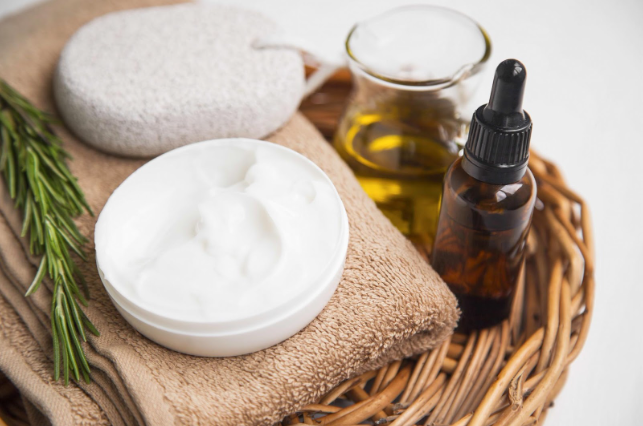
Texture is the secret language of beauty photography. A serum isn’t just “clear liquid,” it’s glossy, viscous, and light-catching. A cream isn’t just “white,” it’s whipped, dense, buttery, gel-like, or airy depending on the formula. A makeup swatch isn’t just pigment, it’s finish: matte, satin, metallic, shimmer, glossy, sheer, opaque. When you photograph texture well, viewers feel the product before they ever touch it. That’s the difference between a basic product photo and a photo that sells, teaches, and builds trust.
The tricky part is that texture is easy to ruin in a photo. Harsh lighting can blow out highlights and make glossy products look greasy. Flat lighting can erase dimension and make everything look like a lifeless smear. Wrong angles can hide the thickness of a cream or make a swatch look patchy and uneven. Even small issues like dust, bubbles, or inconsistent swatch thickness can distract the eye.
This guide gives you a practical, repeatable approach to capturing texture in creams, serums, and makeup swatches, whether you’re shooting on a phone or a camera. We’ll cover lighting, backgrounds, tools, styling techniques, and editing tips that keep texture looking real, premium, and consistent.
Table of Contents
- 1 Why Texture Photos Matter (More Than You Think)
- 2 The Golden Rule: Texture Needs Directional Light
- 3 Step 1: Choose a Background That Supports the Texture
- 4 Step 2: Get the Right Tools for Clean, Controlled Smears and Swatches
- 5 Step 3: Master the Three Core Texture Shots
- 6 Step 4: Camera and Phone Settings That Help Texture Pop
- 7 Step 5: Composition Choices That Make Texture Look Intentional
- 8 Step 6: How to Light Texture for Different Finishes
- 9 Step 7: Editing Texture Photos Without Killing the Texture
- 10 Step 8: Consistency Across a Series
- 11 Where Stock Imagery Fits In (Without Replacing Real Texture)
- 12 Quick Troubleshooting: Fix the Most Common Texture Problems
- 13 A Simple Shot List for Creams, Serums, and Makeup
- 14 The Bottom Line
Why Texture Photos Matter (More Than You Think)
When someone shops beauty products online, they’re trying to answer questions silently:
- Is this thick or lightweight?
- Does it look greasy or dewy?
- Is this high coverage or sheer?
- Does it dry down matte or stay glossy?
- Is the shimmer fine or chunky?
- Does the pigment look smooth or chalky?
Texture photography provides visual evidence. It helps people choose the right product for their preferences and reduces unpleasant surprises. If you’re a brand, it can reduce returns and build confidence. If you’re a creator, it boosts credibility because you’re showing what the product actually looks like.
The Golden Rule: Texture Needs Directional Light
Texture appears when light creates tiny shadows and highlights across a surface. If your light is too flat, those micro-shadows disappear and texture looks bland. If your light is too harsh, highlights blow out and everything looks shiny or overexposed.
The sweet spot is soft directional light: light that comes from one side (directional) but is diffused so it’s gentle (soft).
The easiest source:
- Window light with a sheer curtain for diffusion
The easiest artificial option:
- A single LED light diffused through a soft material or bounced off a white wall
Texture hates overhead ceiling lights and direct flash. Those create ugly shadows and hotspots that flatten or distort the texture you’re trying to show.
Step 1: Choose a Background That Supports the Texture
The best backgrounds for texture photography are quiet. They don’t compete with the product. They also help the camera expose correctly so highlights and shadows aren’t lost.
Reliable background choices:
- Matte white or warm off-white (clean and bright)
- Light gray (modern and forgiving for shiny textures)
- Neutral beige or sand (warm and editorial)
- Matte black or charcoal (dramatic for glossy serums and shimmer, but shows dust)
If you’re photographing glossy textures like oils or serums, avoid backgrounds that are too shiny unless you intentionally want reflections. Reflections can be beautiful, but they complicate exposure and may steal attention from the texture itself.
Pro tip:
If your product is pale (white cream, light beige foundation), use a slightly darker background like light gray so the edges and thickness are visible. If your product is dark, a lighter background helps shape pop.
Step 2: Get the Right Tools for Clean, Controlled Smears and Swatches
You don’t need a full kit, but a few simple tools can dramatically improve results.
Helpful tools:
- Small spatula or palette knife (for creams and thick textures)
- Droppers or pipettes (for serums and oils)
- Cotton swabs (for precise dots or small swatches)
- Makeup sponge or brush (for blended swatches)
- Clear acrylic sheet or ceramic tile (smooth surface for smears)
- Microfiber cloth and alcohol wipes (for cleaning surfaces)
If you’re using fingers for swatches, that’s totally valid, it’s also relatable and realistic. Just keep nails clean, remove distracting rings if you want a minimal look, and be consistent with swatch size and pressure.
Step 3: Master the Three Core Texture Shots
Most texture photography falls into three categories. You can mix them, but mastering these gives you a reliable toolkit.
1) The Smear (Creams, Masks, Balms, Thick Foundations)
A smear shows thickness, spreadability, and finish. It also looks premium when done cleanly.
How to create a good smear:
- Place a small amount of product on a clean surface (tile, acrylic, matte board).
- Use a spatula to drag it in one smooth motion.
- Create a “ridge” at one end to show thickness.
- Avoid overworking it. One or two passes looks intentional. Ten passes looks like you changed your mind mid-swipe.
Lighting tip:
Angle your light so it skims across the smear from the side. This creates highlights on peaks and shadows in valleys, revealing the texture.
2) The Drop (Serums, Oils, Liquid Highlighters)
Drops show viscosity and gloss. A thick serum should look weighty and slow. A watery toner should look lighter and more fluid.
How to create a good drop:
- Use a dropper for control.
- Place one or two drops, then let them settle naturally.
- If you want movement, capture the moment the drop is falling, but be ready to shoot multiple takes.
Surface choice matters:
- Glossy surface = more dramatic reflections, more premium feel, but harder to control
- Matte surface = more subtle, easier to expose correctly
Lighting tip:
Glossy drops can blow out easily. Lower your exposure slightly and diffuse your light.
3) The Swatch (Lipsticks, Blushes, Foundations, Eyeshadows)
Swatches can be raw (one swipe), built-up (multiple layers), or blended (to show how it diffuses). The key is to show what the product is like in real use.
Swatch styles:
- Single swipe: shows immediate payoff and texture
- Layered swipe: shows buildability and opacity
- Blended edge: shows how it wears on skin
- Multiple shades in a row: shows range and undertones
If you’re swatching on skin:
- Use consistent pressure and length for each swatch
- Keep the lighting consistent across all swatches
- If showing undertones, include a neutral reference like a gray card or a consistent background
Important: undertones are very sensitive to lighting. A warm bulb can make everything look golden. A cool window can make shades look more pink. Choose neutral lighting and stick to it.
Step 4: Camera and Phone Settings That Help Texture Pop
You don’t need complicated settings, but a few choices matter.
Use the rear camera when possible
The rear camera is usually sharper and better for close-up detail.
Don’t use beauty filters or smoothing
Filters can blur the micro-details you’re trying to showcase. Texture photography requires honest detail.
Tap to focus on the texture
Focus on the thickest ridge of a cream smear or the edge of a swatch where you want detail.
Lock exposure if you can
Phones love to brighten glossy scenes and blow out highlights. Slightly underexpose to protect shine.
Avoid digital zoom
Move closer and crop later. Digital zoom reduces detail and introduces artifacts.
Consider macro mode if your phone has it
Macro can capture tiny details like shimmer particles or gel bubbles. Just keep the phone steady.
Step 5: Composition Choices That Make Texture Look Intentional
Texture photos often look best when they feel “designed.” A few simple composition tricks help.
Use negative space
Don’t cram the frame. Texture needs breathing room so the eye can focus.
Use diagonals
A diagonal smear or swatch line feels dynamic and modern. Straight lines can feel clinical. Both are valid, pick your vibe.
Include a product cue
If you’re photographing a smear, including the jar or tube nearby (slightly out of focus) helps context. But don’t let packaging reflections steal the show.
Keep edges clean
Messy edges look accidental. Clean edges look premium. Use a spatula or a cotton swab to tidy the margins if needed.
Step 6: How to Light Texture for Different Finishes
Not all textures want the same light.
Glossy serums and oils:
- Use diffused light
- Lower exposure slightly
- Add a white card to create a clean highlight shape
- Use black cards to create definition on clear packaging
Matte creams and foundations:
- Use soft directional light to reveal thickness
- Avoid overly flat lighting that makes it look chalky
- Slight side light helps show ridges
Shimmer and metallic makeup:
- Use a slightly harder light or a smaller diffused source to create sparkle
- Move the light angle until shimmer catches
- Consider shooting a short video or multiple angles if shimmer is the main selling point
Translucent gels:
- Backlight can be beautiful, but it’s tricky
- Side light plus a light background often works best
- Keep highlights controlled so the gel doesn’t disappear into the background
Step 7: Editing Texture Photos Without Killing the Texture
Editing should enhance clarity, not flatten the details.
A simple edit workflow:
- Correct white balance first so the color looks accurate
- Reduce highlights slightly if glossy areas are blown out
- Increase contrast gently to define peaks and valleys
- Add a small amount of clarity or sharpening if needed, but don’t overdo it
- Keep saturation realistic, especially for makeup swatches
Avoid:
- Heavy noise reduction that smears detail
- Smoothing tools
- Over-sharpening that creates crunchy edges or halos
Texture should look touchable, not plastic.
Step 8: Consistency Across a Series
If you’re photographing multiple products or shades, consistency makes your work look professional.
Create a simple “texture station”:
- Same background surface
- Same lighting direction and diffusion
- Same camera distance and angle
- Same swatch sizes and spacing
This is especially important for shade comparisons. Without consistency, viewers can’t trust differences between swatches.
Where Stock Imagery Fits In (Without Replacing Real Texture)
Texture photos should ideally be your own original work if you’re showing a specific product, especially for swatches and claims. But using high-quality stock photos can still be helpful in a positive way for supporting content, like blog headers, abstract ingredient visuals, or lifestyle scenes that complement your texture shots. When used thoughtfully, stock photos can elevate your overall presentation while your original images provide the real, specific texture evidence.
Quick Troubleshooting: Fix the Most Common Texture Problems
Problem: The texture looks flat
Fix: Add side light. Move the light source slightly to the left or right. Increase directional light while keeping it diffused.
Problem: The highlights are blown out
Fix: Lower exposure. Diffuse the light more. Move the light slightly farther away.
Problem: The smear looks messy
Fix: Use a spatula. Reduce product amount. Clean edges. Use one confident swipe.
Problem: Swatches look different in every photo
Fix: Lock your setup. Use a consistent light source and time of day. Avoid mixed lighting.
Problem: Shimmer doesn’t show
Fix: Change angle. Use slightly harder light. Shoot at a tilt so shimmer catches.
A Simple Shot List for Creams, Serums, and Makeup
If you want a ready-to-use plan, try this:
For a cream:
- One clean smear with a ridge
- One close-up detail crop
- One jar-in-frame context shot
For a serum:
- One droplet on surface
- One droplet mid-fall
- One dropper and bottle context shot
For makeup:
- One swipe swatch
- One layered swatch
- One blended-out edge swatch
- One shade lineup if applicable
This gives you a complete set that answers most buyer questions.
The Bottom Line
Capturing texture is about revealing what the product feels like through light. Soft directional lighting, clean backgrounds, controlled smears and drops, and consistent technique will make creams look creamy, serums look glossy, and swatches look accurate and enticing. You don’t need expensive gear, but you do need intention. Treat the smear like a design element. Treat light like your main ingredient. And keep your process consistent so the viewer can trust what they see.